
# PAP Immobilier Scraper - Téléphones & DPE (`clearpath/pap-scraper`) Actor

Extrayez les annonces immobilières PAP avec téléphones, DPE, GES, coordonnées, transports proches, photos et informations détaillées. Recherche par ville, code postal, France ou référence PAP.

- **URL**: https://apify.com/clearpath/pap-scraper.md
- **Developed by:** [ClearPath](https://apify.com/clearpath) (community)
- **Categories:** Lead generation, Real estate, Automation
- **Stats:** 26 total users, 8 monthly users, 92.6% runs succeeded, 0 bookmarks
- **User rating**: No ratings yet

## Pricing

from $3.99 / 1,000 properties

This Actor is paid per event. You are not charged for the Apify platform usage, but only a fixed price for specific events.

Learn more: https://docs.apify.com/platform/actors/running/actors-in-store#pay-per-event

## What's an Apify Actor?

Actors are web data automations that power AI and operations. They run on the Apify platform to scrape websites, process data, connect APIs, and automate workflows.
In Batch mode, an Actor accepts a well-defined JSON input, performs an action which can take anything from a few seconds to a few hours,
and optionally produces a well-defined JSON output, datasets with results, or files in key-value store.
In Standby mode, an Actor provides a web server which can be used as a website, API, or an MCP server.
Actors are written with capital "A".

## How to integrate an Actor?

If asked about integration, you help developers integrate Actors into their projects.
You adapt to their stack and deliver integrations that are safe, well-documented, and production-ready.
The best way to integrate Actors is as follows.

- **AI agents and MCP clients** — the [Apify MCP server](https://docs.apify.com/integrations/mcp.md) at `https://mcp.apify.com` (remote, streamable HTTP, OAuth on first use).
- **Agentic workflows and local Actor development** — [Agent Skills](https://apify.com/.well-known/agent-skills/index.json) with the [Apify CLI](https://docs.apify.com/cli/docs.md): `npm install -g apify-cli`, then `apify login`.
- **JavaScript/TypeScript projects** — the official [JS/TS client](https://docs.apify.com/api/client/js/docs.md): `npm install apify-client`.
- **Python projects** — the official [Python client](https://docs.apify.com/api/client/python/docs.md): `pip install apify-client`.
- **Any other language** — the [REST API](https://docs.apify.com/api/v2.md).

For usage examples, see the [API](#api) section below.

For more details, see Apify documentation as [Markdown index](https://docs.apify.com/llms.txt) and [Markdown full-text](https://docs.apify.com/llms-full.txt).

# README

## PAP Scraper Immobilier | Annonces immobilières France (2026)

<blockquote style="color:#1C1917;border-left:4px solid #007FD0;background:#EDF6F9;padding:12px 16px">
Numéros de téléphone, coordonnées, transports à proximité, étiquettes énergie, médias, et informations détaillées dans un seul dataset.
</blockquote>

![PAP Real Estate Scraper](https://iili.io/BvxCxTX.png)

<table>
<tr>
<td colspan="1" style="padding:10px 14px;background:#007FD0;border:none;border-radius:4px 4px 0 0">
<span style="color:#FAFAF9;font-size:14px;font-weight:700;letter-spacing:0.5px">Clearpath France Real Estate</span>
<span style="color:#EDF6F9;font-size:13px">&nbsp;&nbsp;&bull;&nbsp;&nbsp;Données immobilières françaises</span>
</td>
</tr>
<tr>
<td style="background:#EAF0FF;padding:12px 16px;border:1px solid #E7E5E4;border-radius:0 0 4px 4px;border-top:none;vertical-align:top;width:100%">
<img src="https://apify-image-uploads-prod.s3.us-east-1.amazonaws.com/DSvMCAwsufMyZeLyt-actor-JUFnhDjGAS8VM64Or-NK2uxNA7xa-leboncoin-api-scraper.png" width="24" height="24" style="vertical-align:middle"> &nbsp;<a href="https://apify.com/clearpath/leboncoin-immobilier" style="color:#1C1917;text-decoration:none;font-weight:700;font-size:14px">Leboncoin Immobilier</a><br>
<span style="color:#78716C;font-size:12px">Annonces immobilières avec téléphones</span>
</td>
</tr>
</table>

#### Copier pour votre assistant IA

Copiez ce bloc dans ChatGPT, Codex, Cursor, ou un autre LLM pour démarrer plus vite.

```text
clearpath/pap-scraper sur Apify extrait 52 champs top-level par annonce PAP en France. Données: identifiant annonce, référence PAP, prix, pièces, chambres, téléphones, email disponible, coordonnées, photos, transports proches avec lignes résolues, DPE, GES, URL détail, contexte de recherche, et informations détaillées sur l’annonce. En mode vacances: avis clients, capacité, couchages, équipements, services, activités, et infos tarifs. Couvre achat, location et vacances. Entrées: mode d’annonce, lieux, zone stricte, référence PAP exacte, types de bien, critères, filtres prix/surface/pièces/chambres, et dates de séjour. Limite: 1000 annonces par run. Prix: $3.99 pour 1000 annonces. Apify token requis.
```

### Points Clés

- **Sortie riche** — chaque item contient les champs normalisés plus des informations détaillées sur l’annonce.
- **Entrée lieu simple** — utilisez `France`, `Paris (75)`, `Strasbourg (67)`, `Paris 5e`, `Lyon 7e`, ou `75005`.
- **Trois modes** — `Achat` (à vendre), `Location` (longue durée, bail classique), et `Vacances` (courte durée, saisonnier).
- **Recherche par référence** — récupérez une annonce précise si vous connaissez déjà la référence PAP.

### Comment Extraire des Annonces PAP

#### Recherche simple par ville

```json
{
  "product": "vente",
  "locations": ["Paris (75)"],
  "maxResults": 100
}
```

#### Recherche sur toute la France

```json
{
  "product": "vente",
  "locations": ["France"],
  "maxResults": 250
}
```

#### Recherche filtrée de maisons

```json
{
  "product": "vente",
  "locations": ["Strasbourg (67)"],
  "propertyTypes": ["maison"],
  "priceMax": 600000,
  "surfaceMin": 80,
  "nbPiecesMin": 4,
  "maxResults": 100
}
```

#### Référence PAP exacte

```json
{
  "product": "vente",
  "reference": "G26/2186",
  "maxResults": 10
}
```

### Paramètres d’Entrée

| Parameter | Type | Default | Description |
|-----------|------|---------|-------------|
| `product` | string | `vente` | Mode d’annonce : `vente` (à vendre), `location` (longue durée), ou `vacances` (courte durée / saisonnier). |
| `maxResults` | integer | `100` | Nombre maximum d’annonces à retourner. Limite dure : `1000`. |
| `locations` | array | `["Paris (75)"]` | Un ou plusieurs lieux comme `France`, `Paris (75)`, `Lyon 7e` ou `75005`. |
| `strictLocation` | boolean | `false` | Limite les résultats à la zone exacte demandée (utile pour un arrondissement ou une commune). Sans effet sur une recherche département ou `France`. |
| `reference` | string | optional | Référence PAP exacte comme `G26/2186`. |
| `newOnly` | boolean | `false` | Limite les résultats `vente` au neuf. |
| `propertyTypes` | array | optional | Types de bien comme `Maison`, `Appartement`, `Terrain`, `Garage, parking`. |
| `tags` | array | optional | Critères comme `Ascenseur`, `Piscine`, `Balcon, terrasse`, `Wi‑Fi`. |
| `nbPiecesMin` / `nbPiecesMax` | integer | optional | Nombre minimum et maximum de pièces. |
| `nbBedroomsMin` / `nbBedroomsMax` | integer | optional | Nombre minimum et maximum de chambres. |
| `priceMin` / `priceMax` | integer | optional | Prix minimum et maximum en euros. |
| `surfaceMin` / `surfaceMax` | integer | optional | Surface intérieure minimum et maximum en m². |
| `landSurfaceMin` / `landSurfaceMax` | integer | optional | Surface terrain minimum et maximum en m². |
| `capacity` | integer | optional | Capacité, `vacances` uniquement. |
| `stayStart` / `stayEnd` | string | optional | Dates de séjour au format `YYYY-MM-DD`. |

### Données Extraites depuis PAP

Chaque résultat contient :

- **Champs principaux** — identifiant annonce, référence PAP, produit, type de bien, titre, prix, pièces, chambres, et caractéristiques.
- **Contact et localisation** — téléphones, disponibilité email, coordonnées, URL détail, canaux d’appel vidéo, et transports proches.
- **Transports** — chaque arrêt inclut son libellé, les codes bruts (`pictos`), et les lignes résolues (`lines`), par exemple `Métro 8`, `Tramway 3a`, `RER A`.
- **Médias et énergie** — photos, visite virtuelle, vidéo, DPE, et GES.
- **Vacances uniquement** — avis clients (`reviewStars`, `reviewCount`, `reviews`), capacité (`maxCapacity`), couchages (`beds`), composition (`layout`), équipements (`amenities`, `features`), services (`services`), activités (`activities`), et infos tarifs (`pricingInfo`).
- **Champs complémentaires** — `searchData`, `detailData`, et un petit objet `searchContext`.

`bathrooms` n’est renseigné qu’en mode `vacances` (PAP ne fournit pas cette information en `vente` et `location`).

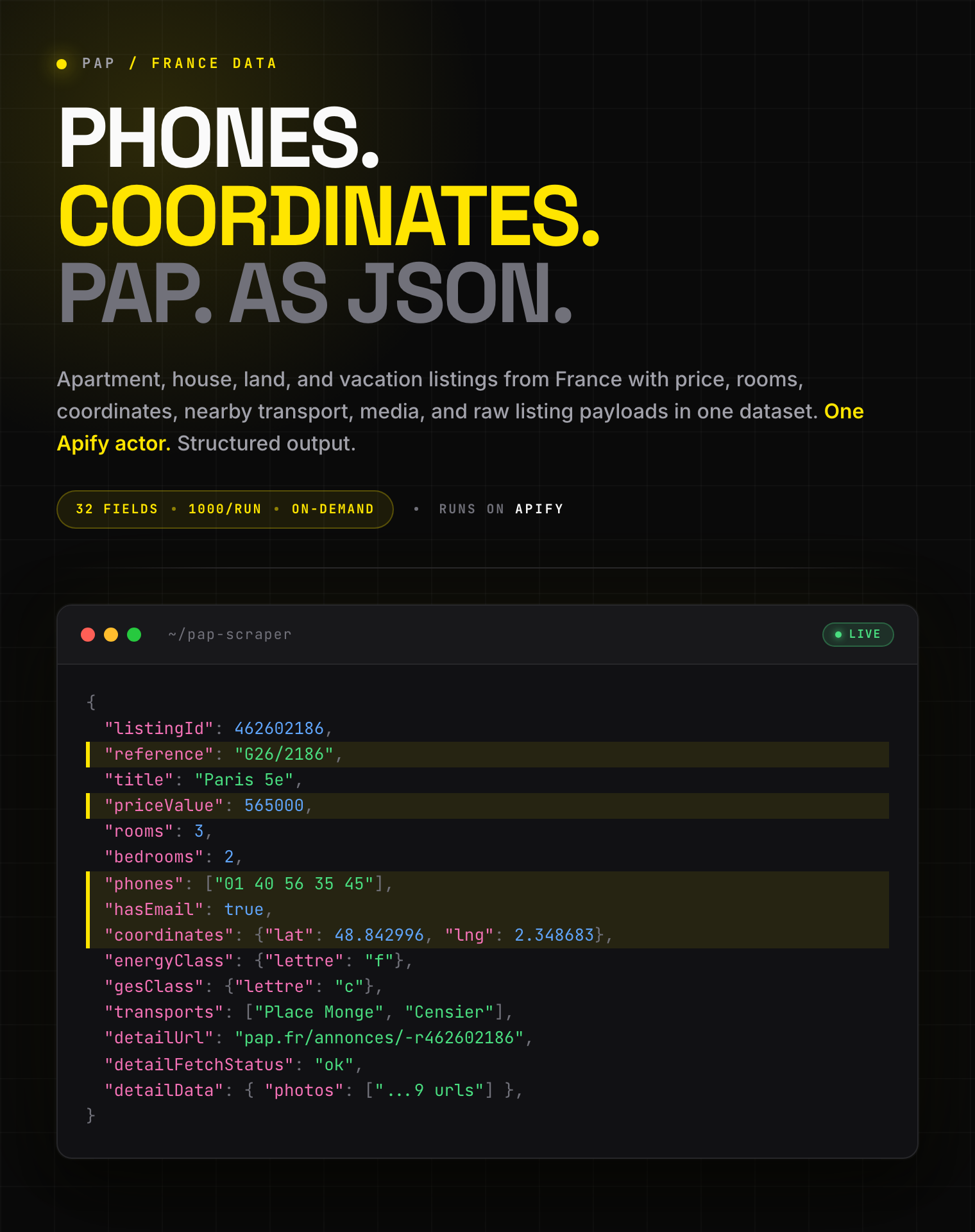
#### Exemple de Sortie

```json
{
  "listingId": 462602186,
  "reference": "G26/2186",
  "product": "vente",
  "propertyType": "appartement",
  "propertyTypeLabel": "Appartement",
  "title": "Paris 5e",
  "price": "565.000 €",
  "priceValue": 565000,
  "phones": [
    "01 40 56 35 45"
  ],
  "hasEmail": true,
  "coordinates": {
    "lat": 48.842996,
    "lng": 2.348683
  },
  "transports": [
    {
      "label": "Place Monge",
      "pictos": [
        "metro-0",
        "metro-7"
      ],
      "modes": [
        "metro"
      ],
      "lines": [
        {
          "mode": "metro",
          "line": "7",
          "label": "Métro 7"
        }
      ]
    }
  ],
  "energyClass": {
    "lettre": "f",
    "description": "Logement avec une consommation annuelle d'énergie comprise entre 331 et 420 kWh/m²/an."
  },
  "gesClass": {
    "lettre": "c",
    "description": "Logement avec une émission de gaz à effet de serre comprise entre 11 et 30 kgéqCO2/m²/an."
  },
  "detailUrl": "https://www.pap.fr/annonces/-r462602186",
  "rooms": 3,
  "bedrooms": 2,
  "bathrooms": null,
  "characteristics": "Appartement / 3 pièces / 2 chambres / 50 m² / 11.300 € le m²",
  "description": "Paris 5e – Duplex d'exception sous les toits, calme et lumière",
  "publishedAtLabel": "15 avril 2026",
  "photos": [
    "https://cdn.pap.fr/photos/pap/a8/cc/a8ccccfb0821f81b3ecc723c99a09ede/a-p1.jpg",
    "https://cdn.pap.fr/photos/pap/9b/fe/9bfeec8bd991cabc7673f2e2b2a63ea4/9-p1.jpg",
    "https://cdn.pap.fr/photos/pap/20/c2/20c23ffa3d1649862fad779394be9ac7/2-p1.jpg"
  ],
  "virtualTourUrl": null,
  "videoUrl": null,
  "personalSiteUrl": null,
  "contactText": "",
  "tagLabel": null,
  "searchContext": {
    "requestedLocations": [
      "Paris (75)"
    ],
    "resolvedLocations": [
      "Paris (75)"
    ],
    "product": "vente",
    "searchTitle": "Vente Paris (75)",
    "searchCountReported": 100,
    "maxResultsRequested": 100
  },
  "detailFetchStatus": "ok",
  "searchData": {
    "id": 462602186,
    "produit": "vente",
    "typebien_slug": "appartement",
    "typebien_label": "Appartement",
    "titre": "Paris 5e",
    "caracteristiques": "Appartement / 3 pièces / 2 chambres / 50 m² / 11.300 € le m²",
    "prix": "565.000 €",
    "marker": {
      "lat": 48.842996,
      "lng": 2.348683
    },
    "photos": [
      "https://cdn.pap.fr/photos/pap/a8/cc/a8ccccfb0821f81b3ecc723c99a09ede/a-p1.jpg",
      "https://cdn.pap.fr/photos/pap/9b/fe/9bfeec8bd991cabc7673f2e2b2a63ea4/9-p1.jpg"
    ]
  },
  "detailData": {
    "id": 462602186,
    "produit": "vente",
    "typebien_slug": "appartement",
    "typebien_label": "Appartement",
    "prix": "565.000 €",
    "nb_pieces": 3,
    "nb_chambres_max": 2,
    "marker": {
      "lat": 48.842996,
      "lng": 2.348683
    },
    "titre": "Paris 5e",
    "date": "15 avril 2026",
    "classe_energie": {
      "lettre": "f",
      "description": "Logement avec une consommation annuelle d'énergie comprise entre 331 et 420 kWh/m²/an."
    },
    "classe_ges": {
      "lettre": "c",
      "description": "Logement avec une émission de gaz à effet de serre comprise entre 11 et 30 kgéqCO2/m²/an."
    },
    "telephones": [
      "01 40 56 35 45"
    ],
    "has_email": true,
    "transports": [
      {
        "label": "Place Monge",
        "pictos": [
          "metro-7"
        ]
      },
      {
        "label": "Censier - Daubenton",
        "pictos": [
          "metro-7"
        ]
      }
    ],
    "reference_courte": "G26/2186",
    "url": "https://www.pap.fr/annonces/-r462602186"
  },
  "scrapedAt": "2026-04-15T15:07:31.395822+00:00"
}
```

### Cas d’Usage Avancés

#### Recherche de vacances avec dates de séjour

```json
{
  "product": "vacances",
  "locations": ["France"],
  "capacity": 4,
  "stayStart": "2026-07-01",
  "stayEnd": "2026-07-15",
  "maxResults": 100
}
```

#### Recherche location avec critères

```json
{
  "product": "location",
  "locations": ["Paris (75)"],
  "propertyTypes": ["appartement"],
  "tags": ["ascenseur", "balcon-terrasse"],
  "priceMax": 2500,
  "nbBedroomsMin": 2,
  "maxResults": 100
}
```

#### Recherche France entière dans le neuf

```json
{
  "product": "vente",
  "locations": ["France"],
  "newOnly": true,
  "maxResults": 250
}
```

### Tarification — Pay Per Event (PPE)

**$3.99 pour 1 000 annonces** sur le tier Apify de base.

| Event | Per listing | Per 1,000 |
|-------|-------------|-----------|
| `listing-scraped` | $0.00399 | $3.99 |

#### Exemples de Coût

| Results | Cost |
|---------|------|
| 10 | ~$0.04 |
| 100 | ~$0.40 |
| 1,000 | ~$3.99 |

#### Optimisation des Coûts

- Utilisez les filtres de lieu et de critères pour éviter les recherches trop larges comme `France`.
- Réglez `maxResults` sur le volume dont vous avez vraiment besoin.

### FAQ

**Combien d’annonces peut-on extraire par run ?**\
Jusqu’à `1000` annonces par run.

**Peut-on chercher toute la France ?**\
Oui. Utilisez `France` comme lieu normal.

**Peut-on chercher par référence PAP exacte ?**\
Oui. Utilisez `reference`, par exemple `G26/2186`.

**Quels modes sont supportés ?**\
`vente` (à vendre), `location` (longue durée), et `vacances` (courte durée / saisonnier).

**Comment écrire un arrondissement ?**\
Utilisez la forme courte : `Lyon 7e`, `Paris 1er`, `Marseille 3e`. Les écritures plus longues comme `Lyon 7e Arrondissement (69)` ou `Lyon 7ème` sont ramenées automatiquement à la même zone. Vous pouvez aussi indiquer le code postal, par exemple `69007`.

**Pourquoi une recherche d'arrondissement renvoie-t-elle des communes voisines ?**\
Quand une zone précise contient peu d'annonces correspondant à vos critères, PAP élargit automatiquement la recherche aux secteurs voisins. Activez `strictLocation` pour ne conserver que la zone demandée.

**Comment distinguer location longue durée et courte durée ?**\
Utilisez le mode d’annonce (`product`). `location` renvoie les locations longue durée (bail classique) ; `vacances` renvoie les locations courte durée / saisonnières. Lancez deux recherches séparées pour comparer. Les champs `capacity`, `stayStart` et `stayEnd` ne s’appliquent qu’au mode `vacances`.

**Les numéros de téléphone sont-ils inclus ?**\
Oui pour `location` et `vente`, quand PAP les affiche sur la fiche annonce. En mode `vacances`, PAP ne publie pas de numéro : le contact se fait par email / formulaire (`phones` est vide, `hasEmail` vaut `true`).

**Les transports proches sont-ils inclus ?**\
Oui, quand PAP fournit cette information.

**Toutes les annonces ont-elles un détail complet ?**\
Non. Certaines annonces, surtout certains terrains, peuvent retourner un détail partiel.

**Peut-on trier côté serveur ?**\
Non. Les options de tri ne font pas partie de cet actor.

**Que se passe-t-il si un lieu est ambigu ?**\
L’actor échoue avec les meilleures suggestions au lieu de deviner.

**Que contiennent `searchData` et `detailData` ?**\
Ces champs contiennent des informations complémentaires renvoyées par PAP pour chaque annonce.

### Support

- **Bugs**: Issues tab
- **Features**: Email or issues
- **Email**: max@mapa.slmail.me

### Legal Compliance

Extracts publicly available data. Users must comply with PAP terms and data protection regulations, including GDPR and CCPA.

***

*Extraction d’annonces immobilières PAP avec contacts, médias, localisation, et métadonnées détaillées.*

# Actor input Schema

## `product` (type: `string`):

Choose what to search:<br>• <b>Achat</b> — properties for sale<br>• <b>Location</b> — long-term rentals (standard lease)<br>• <b>Vacances</b> — short-term / seasonal holiday rentals<br><br>To separate long-term from short-term rentals, run <b>Location</b> and <b>Vacances</b> as two searches. The Vacation filters apply only to <b>Vacances</b>.

## `maxResults` (type: `integer`):

Maximum number of listings to return. Current supported cap is 1000 per run.

## `locations` (type: `array`):

Enter one or more French locations. Each row targets one area:<br>• <code>France</code> — the whole country<br>• <code>Paris (75)</code> — an entire department<br>• <code>Strasbourg (67)</code> — a city<br>• <code>Paris 1er</code>, <code>Lyon 7e</code> — a single arrondissement<br>• <code>75020</code> — a specific postal code<br><br>The number in brackets such as <code>(75)</code> is the department, not a postal code. To target one area only, enter its postal code like <code>75020</code>. Arrondissements use the short form <code>1er</code> / <code>7e</code>; longer spellings such as <code>Lyon 7e Arrondissement (69)</code> are matched to the same area automatically.

## `strictLocation` (type: `boolean`):

Keep only listings located in the exact area you searched. When a specific area such as <code>Paris 20e</code> or a town has few matches, PAP normally fills the rest with nearby areas — enable this to exclude them. No effect on department (<code>Paris (75)</code>) or <code>France</code> searches.

## `reference` (type: `string`):

Optional exact PAP reference like G26/2186. Keep the slash and original casing. If set, the actor can search without locations.

## `newOnly` (type: `boolean`):

Vente only. Limit results to new-build properties.

## `propertyTypes` (type: `array`):

Optional property types. You can pick multiple options. Some choices only make sense for certain listing modes.

## `tags` (type: `array`):

Optional features and advanced filters. You can pick multiple options. Some only apply to certain listing modes.

## `nbPiecesMin` (type: `integer`):

Optional minimum number of rooms.

## `nbPiecesMax` (type: `integer`):

Optional maximum number of rooms.

## `nbBedroomsMin` (type: `integer`):

Optional minimum number of bedrooms.

## `nbBedroomsMax` (type: `integer`):

Optional maximum number of bedrooms.

## `priceMin` (type: `integer`):

Optional minimum price in euros.

## `priceMax` (type: `integer`):

Optional maximum price in euros.

## `surfaceMin` (type: `integer`):

Optional minimum interior surface in square meters.

## `surfaceMax` (type: `integer`):

Optional maximum interior surface in square meters.

## `landSurfaceMin` (type: `integer`):

Optional minimum land surface in square meters.

## `landSurfaceMax` (type: `integer`):

Optional maximum land surface in square meters.

## `capacity` (type: `integer`):

Vacances only.

## `stayStart` (type: `string`):

Vacances only. Format YYYY-MM-DD.

## `stayEnd` (type: `string`):

Vacances only. Format YYYY-MM-DD.

## Actor input object example

```json
{
  "product": "vente",
  "maxResults": 100,
  "locations": [
    "Paris (75)"
  ],
  "strictLocation": false,
  "newOnly": false
}
```

# Actor output Schema

## `results` (type: `string`):

No description

# API

You can run this Actor programmatically using our API. Below are code examples in JavaScript, Python, and CLI, as well as the OpenAPI specification and MCP server setup.

## JavaScript example

```javascript
import { ApifyClient } from 'apify-client';

// Initialize the ApifyClient with your Apify API token
// Replace the '<YOUR_API_TOKEN>' with your token
const client = new ApifyClient({
    token: '<YOUR_API_TOKEN>',
});

// Prepare Actor input
const input = {
    "maxResults": 100,
    "locations": [
        "Paris (75)"
    ]
};

// Run the Actor and wait for it to finish
const run = await client.actor("clearpath/pap-scraper").call(input);

// Fetch and print Actor results from the run's dataset (if any)
console.log('Results from dataset');
console.log(`💾 Check your data here: https://console.apify.com/storage/datasets/${run.defaultDatasetId}`);
const { items } = await client.dataset(run.defaultDatasetId).listItems();
items.forEach((item) => {
    console.dir(item);
});

// 📚 Want to learn more 📖? Go to → https://docs.apify.com/api/client/js/docs

```

## Python example

```python
from apify_client import ApifyClient

# Initialize the ApifyClient with your Apify API token
# Replace '<YOUR_API_TOKEN>' with your token.
client = ApifyClient("<YOUR_API_TOKEN>")

# Prepare the Actor input
run_input = {
    "maxResults": 100,
    "locations": ["Paris (75)"],
}

# Run the Actor and wait for it to finish
run = client.actor("clearpath/pap-scraper").call(run_input=run_input)

# Fetch and print Actor results from the run's dataset (if there are any)
print("💾 Check your data here: https://console.apify.com/storage/datasets/" + run["defaultDatasetId"])
for item in client.dataset(run["defaultDatasetId"]).iterate_items():
    print(item)

# 📚 Want to learn more 📖? Go to → https://docs.apify.com/api/client/python/docs/quick-start

```

## CLI example

```bash
echo '{
  "maxResults": 100,
  "locations": [
    "Paris (75)"
  ]
}' |
apify call clearpath/pap-scraper --silent --output-dataset

```

## MCP server setup

```json
{
    "mcpServers": {
        "apify": {
            "command": "npx",
            "args": [
                "mcp-remote",
                "https://mcp.apify.com/?tools=clearpath/pap-scraper",
                "--header",
                "Authorization: Bearer <YOUR_API_TOKEN>"
            ]
        }
    }
}

```

## OpenAPI specification

Download the OpenAPI definition: https://api.apify.com/v2/acts/s6kfyrqqGzboLGz4c/builds/M2nXrENTtCEALvhTQ/openapi.json
