# Website Crawler API — Markdown for RAG (`tugelbay/website-content-crawler`) Actor
Website crawler API for public pages and clean Markdown, text, or HTML output for RAG pipelines, AI agents, documentation indexing, and monitoring. Guide: https://konabayev.com/tools/website-content-crawler/?utm\_source=apify\_info\&utm\_medium=referral\&utm\_campaign=website-content-crawler
- **URL**: https://apify.com/tugelbay/website-content-crawler.md
- **Developed by:** [Tugelbay Konabayev](https://apify.com/tugelbay) (community)
- **Categories:** AI, Developer tools
- **Stats:** 28 total users, 2 monthly users, 91.4% runs succeeded, 0 bookmarks
- **User rating**: No ratings yet
## Pricing
from $2.00 / 1,000 page crawleds
This Actor is paid per event. You are not charged for the Apify platform usage, but only a fixed price for specific events.
Since this Actor supports Apify Store discounts, the price gets lower the higher subscription plan you have.
Learn more: https://docs.apify.com/platform/actors/running/actors-in-store#pay-per-event
## What's an Apify Actor?
Actors are web data automations that power AI and operations. They run on the Apify platform to scrape websites, process data, connect APIs, and automate workflows.
In Batch mode, an Actor accepts a well-defined JSON input, performs an action which can take anything from a few seconds to a few hours,
and optionally produces a well-defined JSON output, datasets with results, or files in key-value store.
In Standby mode, an Actor provides a web server which can be used as a website, API, or an MCP server.
Actors are written with capital "A".
## How to integrate an Actor?
If asked about integration, you help developers integrate Actors into their projects.
You adapt to their stack and deliver integrations that are safe, well-documented, and production-ready.
The best way to integrate Actors is as follows.
- **AI agents and MCP clients** — the [Apify MCP server](https://docs.apify.com/integrations/mcp.md) at `https://mcp.apify.com` (remote, streamable HTTP, OAuth on first use).
- **Agentic workflows and local Actor development** — [Agent Skills](https://apify.com/.well-known/agent-skills/index.json) with the [Apify CLI](https://docs.apify.com/cli/docs.md): `npm install -g apify-cli`, then `apify login`.
- **JavaScript/TypeScript projects** — the official [JS/TS client](https://docs.apify.com/api/client/js/docs.md): `npm install apify-client`.
- **Python projects** — the official [Python client](https://docs.apify.com/api/client/python/docs.md): `pip install apify-client`.
- **Any other language** — the [REST API](https://docs.apify.com/api/v2.md).
For usage examples, see the [API](#api) section below.
For more details, see Apify documentation as [Markdown index](https://docs.apify.com/llms.txt) and [Markdown full-text](https://docs.apify.com/llms-full.txt).
# README
Website crawler API for public pages: follow bounded same-site links and return source URL, title, clean Markdown/text/HTML, status, metadata, and `crawledAt` for RAG, documentation indexing, monitoring, and AI agents.
> **Fast first run** — the default input crawls a small 15-page sample.
> **HTTP-first crawler** — designed for static or mostly static public pages without browser overhead.
> **RAG-ready output** — clean Markdown, text, or HTML with metadata for AI agents and knowledge bases.
> **Pay-per-use after** — $0.003/page for extracted dataset rows.
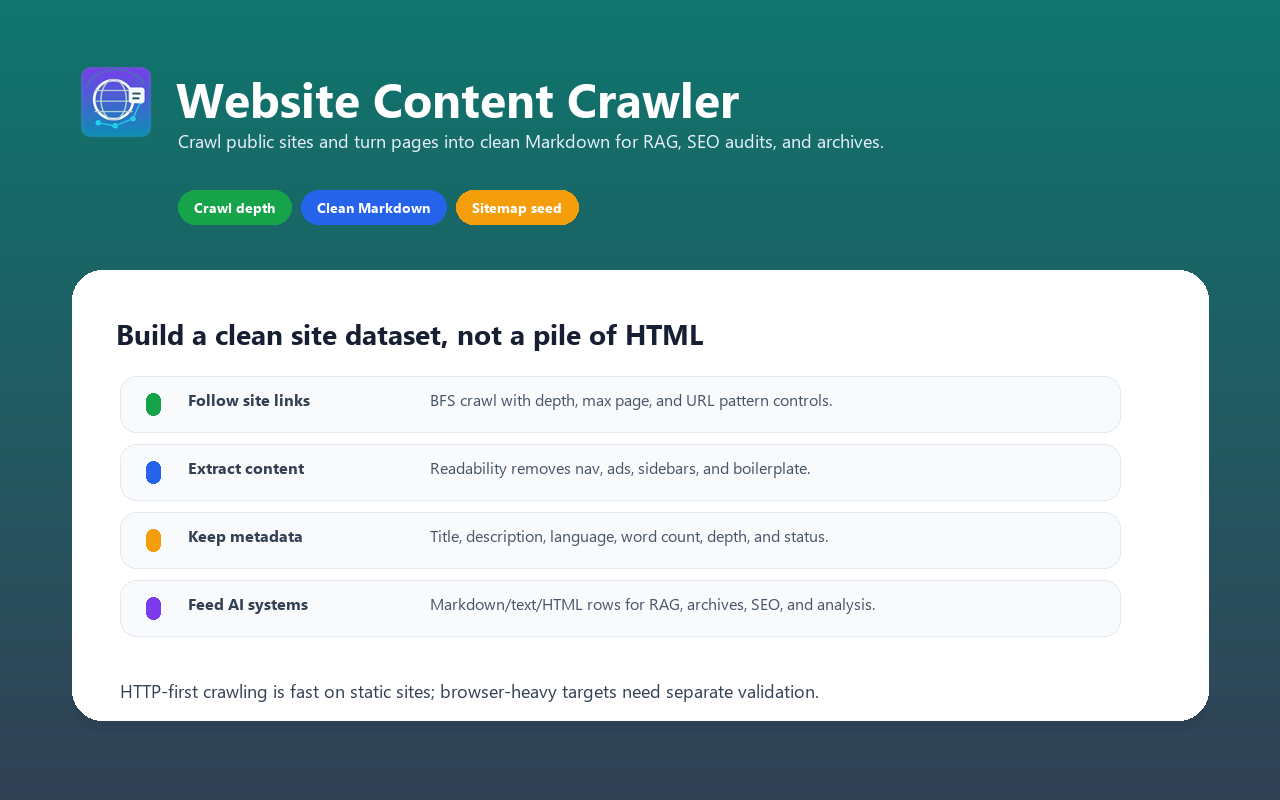
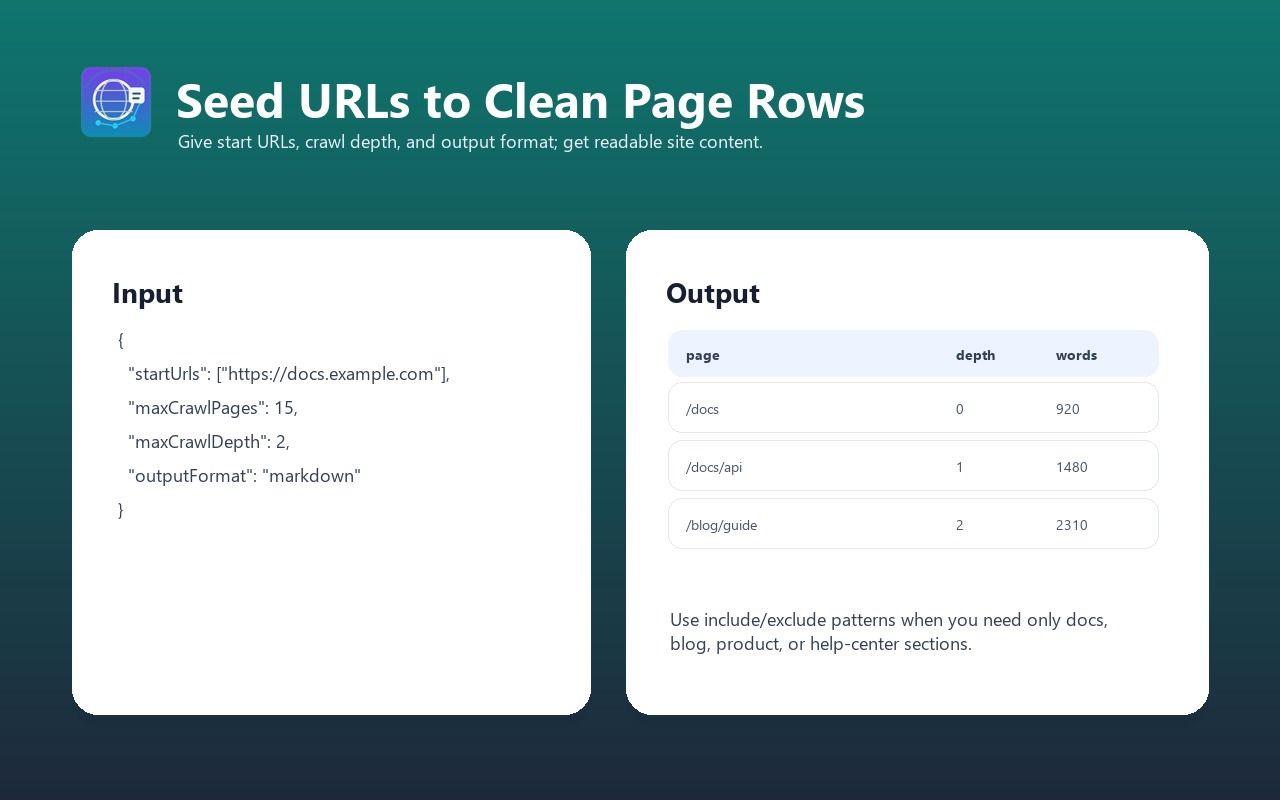
Crawl public websites following links with configurable depth and breadth-first search (BFS). Extract clean Markdown/text/HTML content from pages using Mozilla Readability. The HTTP-first architecture is best for static or mostly static sites and public documentation.
**Perfect for:** Building **knowledge bases**, **RAG pipelines**, **AI training datasets**, **competitive intelligence**, **SEO analysis**, and **content archiving at scale**.
For implementation recipes and production examples, see the Website Content Crawler guide on Konabayev.com.
### Crawl Websites and Extract Clean Markdown
Recursively crawl public websites and extract page content as clean Markdown. HTTP-first crawling is fastest on static or mostly static pages.
### Website Scraper for RAG and LLM Knowledge Bases
Ingest entire documentation sites, blogs, or knowledge bases into your AI pipeline. Clean Markdown output ready for vector embeddings.
### Fast Website Content Extractor
HTTP-first crawling with depth control, link filtering, and incremental output.
### What does Website Content Crawler do?
This actor starts from one or more seed URLs, crawls the website following same-domain links, and extracts clean content from every page discovered. It:
- **Follows links intelligently** — BFS crawling with configurable depth, max pages, and URL pattern matching (include/exclude globs)
- **Extracts clean content** — Uses Mozilla Readability algorithm (same tech as Firefox Reader View) to extract just the main content, removing navigation, ads, sidebars, and boilerplate
- **Produces structured output** — Markdown (optimized for LLMs), plain text, or clean HTML with auto-extracted metadata
- **Crawls fast** — HTTP-first (no browser) with up to 50 concurrent requests; throughput depends on the target site
- **Extracts metadata** — Title, description, author, language, Open Graph image, word count, depth, and HTTP status
- **Handles sitemaps** — Optionally load URLs from XML sitemaps to seed crawling faster
- **Supports proxies** — Datacenter, residential, or ISP proxies for geo-restricted or IP-blocked sites
- **PPE pricing** — Pay per extracted dataset row
No custom CSS selectors, no per-site configuration, no browser headaches. Just add URLs and let it crawl.
### Why use this instead of alternatives?
| Feature | Generic scraper | Browser-heavy crawler | Website Content Crawler |
| ----------------------- | ------------------------ | ---------------------------- | ---------------------------------- |
| **Architecture** | Varies | Browser sessions | HTTP + concurrent requests |
| **Content extraction** | Raw HTML / CSS selectors | Whole-page extraction | Clean article text via Readability |
| **Output quality** | Often needs cleanup | May include page boilerplate | Clean, LLM-ready Markdown |
| **Concurrent requests** | Usually conservative | Limited by browser overhead | Up to 50 parallel (configurable) |
| **Link following** | Manual or custom logic | Varies | BFS with depth, max, glob patterns |
| **Sitemap support** | Usually custom | Varies | Yes |
| **AI/MCP compatible** | Usually custom | Varies | Yes |
| **Proxy support** | Varies | Varies | Apify proxy support |
#### When to use each:
- Use **Website Content Crawler** when you need clean content for **LLMs, RAG, or knowledge bases**
- Use a **browser-heavy crawler** when the target site requires JavaScript rendering
- Use a **generic scraper** if you need custom selectors or non-article content
### Features
- **Breadth-First Search (BFS) crawling** with configurable depth and maximum page limits
- **Same-domain link following** with automatic URL normalization and deduplication
- **URL pattern filtering** — include/exclude URLs via glob patterns (e.g., `**/blog/**`, `!**/admin/**`)
- **Sitemap support** — optional XML sitemap loading to seed crawling faster
- **Clean content extraction** using Mozilla Readability algorithm (no custom selectors needed)
- **Multiple output formats** — Markdown (optimized for LLMs), plain text, or clean HTML
- **Automatic metadata extraction** — title, description, author, language, Open Graph image, word count
- **Concurrent crawling** — up to 50 parallel HTTP requests for speed
- **Proxy support** — Apify proxy, datacenter, residential, or ISP proxies with smart escalation
- **Graceful error handling** — retries failed requests, logs errors, returns partial results
- **HTTP/2 and connection pooling** for maximum efficiency
- **PPE pricing** — pay only for successfully extracted pages
### How to run a bounded website crawl
1. Start with one public URL, a shallow depth, and a 15-page limit.
2. Inspect status, source URLs, extracted content, metadata, and `crawledAt`; tighten include/exclude patterns before scaling.
3. Export the validated pages to the RAG or monitoring pipeline and recrawl only at a justified interval.
### Input examples
#### Crawl a website and extract all content as Markdown
```json
{
"startUrls": [
{
"url": "https://example.com"
}
],
"maxCrawlDepth": 3,
"maxCrawlPages": 50,
"outputFormat": "markdown"
}
```
#### Crawl a blog with depth limit, exclude admin pages
```json
{
"startUrls": [
{
"url": "https://blog.example.com"
}
],
"maxCrawlDepth": 2,
"maxCrawlPages": 100,
"outputFormat": "markdown",
"includeUrlGlobs": ["**/blog/**", "**/post/**"],
"excludeUrlGlobs": ["**/admin/**", "**/preview/**", "**/?utm_*"]
}
```
#### Crawl with sitemap and proxy for geo-restricted content
```json
{
"startUrls": [
{
"url": "https://geo-restricted.example.com",
"userData": {
"label": "main"
}
}
],
"useSitemap": true,
"maxCrawlPages": 500,
"outputFormat": "markdown",
"maxConcurrency": 30,
"proxyConfiguration": {
"useApifyProxy": true,
"apifyProxyGroups": ["RESIDENTIAL"]
}
}
```
#### Crawl documentation site as plain text with high concurrency
```json
{
"startUrls": [
{
"url": "https://docs.example.com"
}
],
"maxCrawlDepth": 4,
"maxCrawlPages": 200,
"outputFormat": "text",
"maxConcurrency": 50,
"pageTimeout": 30
}
```
#### Crawl multiple domains with depth limits
```json
{
"startUrls": [
{ "url": "https://site1.example.com" },
{ "url": "https://site2.example.com" },
{ "url": "https://docs.example.com/api" }
],
"maxCrawlDepth": 2,
"maxCrawlPages": 100,
"outputFormat": "markdown",
"includeUrlGlobs": ["**"],
"excludeUrlGlobs": ["**/login", "**/signup", "**/*.pdf"]
}
```
### Input parameters
| Parameter | Type | Default | Required | Description |
| -------------------- | ------- | -------- | -------- | --------------------------------------------------------------------------------------------- |
| `startUrls` | Array | — | Yes | List of seed URLs to start crawling from (requestListSources format) |
| `maxCrawlDepth` | Integer | 10 | No | Maximum link depth to follow (0 = seed URLs only, 1 = seed + direct links, etc.) |
| `maxCrawlPages` | Integer | 50 | No | Maximum pages to crawl per domain (1–10,000). Crawling stops when this limit is reached |
| `outputFormat` | String | markdown | No | Output format: `"markdown"`, `"text"`, or `"html"` |
| `includeUrlGlobs` | Array | `["**"]` | No | Glob patterns to INCLUDE (e.g., `["**/blog/**", "**/docs/**"]`). Default: all URLs included |
| `excludeUrlGlobs` | Array | `[]` | No | Glob patterns to EXCLUDE (e.g., `["**/admin/**", "**/?utm_*"]`). Overrides include patterns |
| `useSitemap` | Boolean | false | No | Load URLs from XML sitemap (sitemap.xml) at domain root. Speeds up discovery. |
| `maxConcurrency` | Integer | 20 | No | Number of pages to process simultaneously (1–50). Higher = faster but more resource-intensive |
| `pageTimeout` | Integer | 30 | No | Timeout per page request in seconds (5–120). Increase for slow servers. |
| `proxyConfiguration` | Object | None | No | Proxy settings for accessing IP-blocked or geo-restricted content |
### Output format
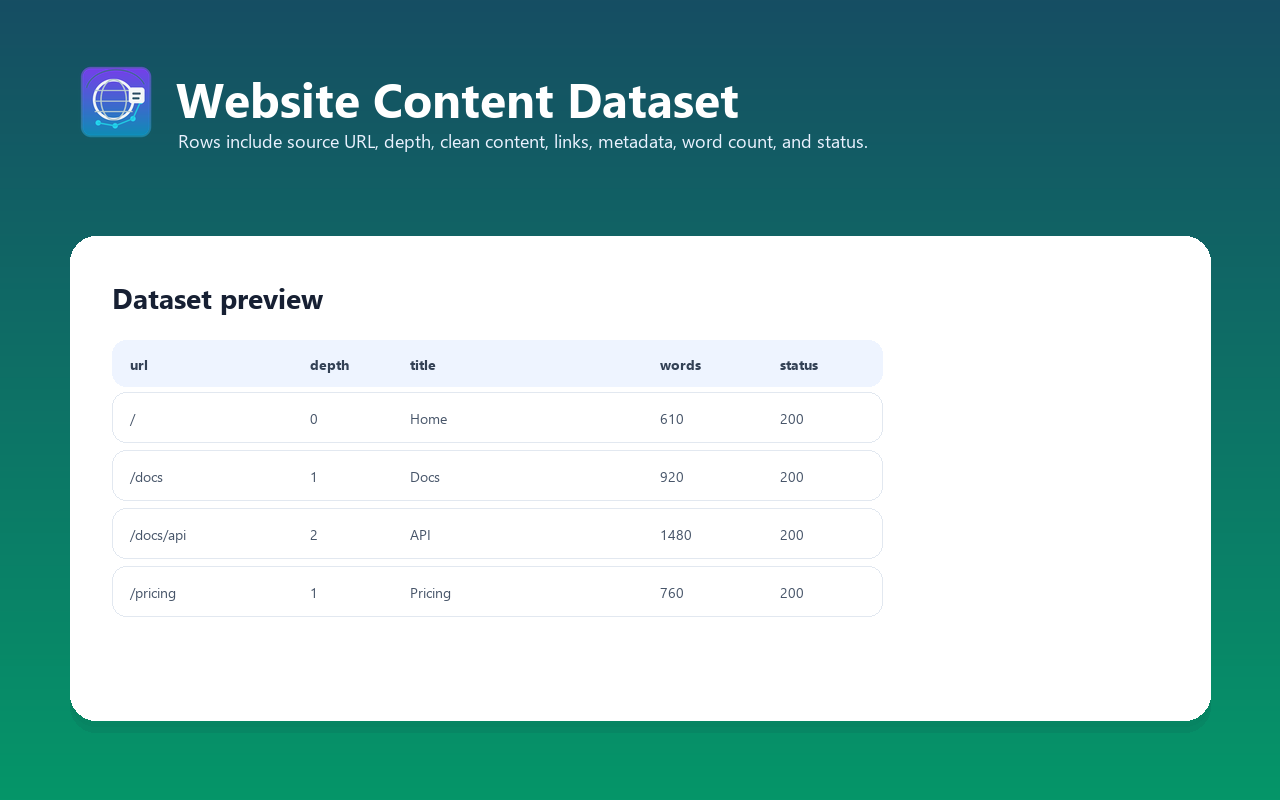
Each item in the dataset contains extracted content from one crawled page:
| Field | Type | Description |
| ------------- | ------- | --------------------------------------------------------------- |
| `url` | String | Final page URL (after redirects) |
| `title` | String | Page title (from `` tag or h1) |
| `description` | String | Meta description or auto-generated summary |
| `author` | String | Author (from meta tags or JSON-LD, if available) |
| `language` | String | Detected content language code (e.g., "en", "de", "fr") |
| `content` | String | Extracted page content in requested format (Markdown/text/HTML) |
| `wordCount` | Integer | Number of words in extracted content |
| `depth` | Integer | Link depth from seed URL (0 = seed, 1 = one link away, etc.) |
| `statusCode` | Integer | HTTP response status code (200, 404, 403, etc.) |
| `crawledAt` | String | Crawling timestamp (ISO 8601) |
| `error` | String | Error message if crawling failed (null on success) |
#### Example output
```json
{
"url": "https://example.com/about",
"title": "About Us — Example Company",
"description": "Learn about Example Company's mission, team, and history.",
"author": "Example Team",
"language": "en",
"content": "# About Us\n\nExample Company was founded in 2015 with a mission to...\n\n## Our Team\n\n- **John Smith** — CEO & Founder\n- **Jane Doe** — VP of Engineering\n- **Bob Johnson** — Product Manager\n\n## History\n\nWe started as a small startup...",
"wordCount": 850,
"depth": 1,
"statusCode": 200,
"crawledAt": "2026-03-29T14:23:45Z",
"error": null
}
```
```json
{
"url": "https://example.com/docs/quickstart",
"title": "Quick Start — Example API",
"description": "Get up and running with the Example API in 5 minutes.",
"author": null,
"language": "en",
"content": "# Quick Start\n\n## Installation\n\n1. Install via npm:\n npm install example-api\n\n2. Initialize the client:\n const client = new Example();\n\n3. Make your first request:\n const data = await client.getData();\n\nThat's it! You're ready to use the Example API.",
"wordCount": 420,
"depth": 2,
"statusCode": 200,
"crawledAt": "2026-03-29T14:23:52Z",
"error": null
}
```
### Integrations
#### Apify MCP Server (Claude, AI agents)
Use as a tool in Claude Desktop, Claude Code, or any MCP-compatible AI agent. PPE pricing makes it native to AI workflows.
```python
## Claude Code + Apify MCP Server
## The actor is available as a tool in your agent context
```
#### Python integration
```python
from apify_client import ApifyClient
client = ApifyClient("your-apify-api-token")
## Crawl a website
run = client.actor("tugelbay/website-content-crawler").call(
run_input={
"startUrls": [{"url": "https://example.com"}],
"maxCrawlDepth": 2,
"maxCrawlPages": 50,
"outputFormat": "markdown",
}
)
## Read results
for item in client.dataset(run["defaultDatasetId"]).iterate_items():
print(f"URL: {item['url']}")
print(f"Title: {item['title']}")
print(f"Words: {item['wordCount']}")
print(f"Content preview: {item['content'][:300]}...")
print()
```
#### JavaScript/TypeScript integration
```javascript
import { ApifyClient } from "apify-client";
const client = new ApifyClient({ token: "your-apify-api-token" });
const run = await client.actor("tugelbay/website-content-crawler").call({
startUrls: [{ url: "https://example.com" }],
maxCrawlDepth: 2,
maxCrawlPages: 50,
outputFormat: "markdown",
});
const { items } = await client.dataset(run.defaultDatasetId).listItems();
for (const item of items) {
console.log(`${item.title} (${item.wordCount} words, depth: ${item.depth})`);
console.log(`URL: ${item.url}`);
console.log(`Content preview: ${item.content?.substring(0, 300)}...`);
console.log();
}
```
#### LangChain integration (RAG pipeline)
```python
from langchain_community.utilities import ApifyWrapper
from langchain_core.documents import Document
apify = ApifyWrapper(apify_api_token="your-apify-api-token")
docs = apify.call_actor(
actor_id="tugelbay/website-content-crawler",
run_input={
"startUrls": [{"url": "https://docs.example.com"}],
"maxCrawlDepth": 3,
"maxCrawlPages": 200,
"outputFormat": "markdown",
},
dataset_mapping_function=lambda item: Document(
page_content=item.get("content", ""),
metadata={
"url": item.get("url"),
"title": item.get("title"),
"author": item.get("author"),
"depth": item.get("depth"),
"wordCount": item.get("wordCount"),
},
),
)
## Now use docs in your RAG pipeline
from langchain_community.vectorstores import FAISS
from langchain_community.embeddings import OpenAIEmbeddings
embeddings = OpenAIEmbeddings()
vectorstore = FAISS.from_documents(docs, embeddings)
## Query the knowledge base
results = vectorstore.similarity_search("How do I configure X?")
```
#### Webhooks and integrations
The actor integrates with Apify's ecosystem:
- **Google Sheets** — export crawled content directly to a spreadsheet
- **Zapier / Make** — trigger workflows when crawling completes
- **Slack** — notify your team with crawl summary (pages found, errors, etc.)
- **Email** — receive dataset as CSV/JSON attachment
- **REST API** — call programmatically from any application
- **Apify Schedules** — run crawls on a schedule (hourly, daily, weekly, custom cron)
### Use cases
1. **Knowledge base building** — crawl documentation sites, internal wikis, or company knowledge bases and feed content into a vector database for semantic search
2. **LLM training data** — extract clean text from websites for fine-tuning datasets or pre-training
3. **RAG pipelines** — crawl public documentation (API docs, guides, tutorials) and make it searchable via retrieval-augmented generation
4. **Competitive intelligence** — crawl competitor websites to monitor features, pricing, and messaging changes
5. **SEO analysis** — extract all page titles, meta descriptions, and h1/h2 headers for gap analysis and content strategy
6. **Content archiving** — automatically archive entire website snapshots for compliance, legal holds, or historical records
7. **Content migration** — extract content from legacy sites during CMS migrations to new platforms
8. **AI agent enhancement** — give your AI agent the ability to read and understand entire websites, not just single pages
9. **News and blog aggregation** — crawl news sites or blog networks to collect articles at scale
10. **Price monitoring** — crawl e-commerce sites to extract product pages, prices, and availability (per ToS)
### Cost estimation (PPE pricing)
**Event:** one primary dataset event for each successfully crawled and stored page. As of 2026-07-14, the price is **$0.003 on FREE**, **$0.0027 on BRONZE**, **$0.0024 on SILVER**, and **$0.002 on GOLD+**, plus a **$0.005 Actor start** event. The Store Pricing tab is authoritative.
**Example costs:**
| Scenario | Pages | Cost |
| ------------------------------------------------------ | -------- | ------------ |
| 10-page documentation site | 10 | ~$0.03-$0.04 |
| 50-page company website | 50 | ~$0.11-$0.16 |
| 100-page blog with archives | 100 | ~$0.21-$0.31 |
| 500-page documentation + tutorials | 500 | ~$1.01-$1.51 |
| 1,000-page knowledge base | 1,000 | ~$2.01-$3.01 |
| Daily crawls (50 pages/day, 30 days) | 1,500 | ~$3.15-$4.65/month |
| Weekly competitor monitoring (10 sites, 20 pages each) | 200/week | ~$0.41-$0.61/week |
| Large-scale extraction (10,000 pages) | 10,000 | ~$20.01-$30.01 |
The weekly competitor-monitoring estimate assumes all 10 sites are crawled in
one Actor run. Running one site per task would add 10 start events, for roughly
$0.45-$0.65 per week at the same 200-page total.
Start with the default small sample to evaluate output quality before larger crawls.
**💡 Pro tip:** Exclude large file downloads (PDFs, images) and non-content pages (admin panels, login forms) via `excludeUrlGlobs` to reduce extraction costs and improve data quality.
### FAQ
#### How fast is the crawling?
Very fast. HTTP-only architecture with up to 50 concurrent requests means you can crawl **50 pages in 30–60 seconds** with default settings. Increase `maxConcurrency` to 50 for even faster crawling on small/medium sites. Compare: the free Playwright-based actor takes 14 minutes for the same 50 pages.
#### What's the difference between this and apify/website-content-crawler?
- **Speed**: HTTP-first crawling is fastest on static or mostly static sites
- **Content quality**: Ours uses Readability to extract clean article text; the free one returns full page HTML
- **Pricing**: Ours uses PPE (pay per extracted page); free one is unpaid but supports no AI/MCP workflows
- **Features**: Both support BFS crawling, but ours adds sitemap support and better URL filtering
- **Users**: Free has 5,743 users; ours is new but PPE-native for AI agents
Choose ours if you need **speed, clean content, and LLM optimization**. Choose the free one if you need **full page HTML and can tolerate slow speeds**.
#### Does it handle JavaScript-rendered content?
No. Website Content Crawler uses HTTP requests (no browser). If a site relies on JavaScript to render content (React SPAs, Angular apps, dynamic comments), you'll get incomplete or empty content. For JS-heavy sites, use [RAG Web Browser](https://apify.com/tugelbay/rag-web-browser), which has Playwright fallback.
#### Can I crawl password-protected or paywalled sites?
No. Website Content Crawler only works with publicly accessible content. It cannot bypass login walls, paywalls, HTTP Basic Auth, or CAPTCHA-protected pages. Use a different tool for authenticated access.
#### What happens if a page fails to load?
The actor logs the error and continues crawling other pages. Failed pages are included in the dataset with an `error` field explaining the failure (timeout, 404, blocked, etc.) and null `content`. Partial results are always returned.
#### Can I crawl multiple domains?
Yes. Add multiple `startUrls` and the crawler will crawl each domain independently, following links within each domain only (not cross-domain).
#### How do URL glob patterns work?
- `includeUrlGlobs`: Whitelist — only crawl URLs matching these patterns (default: `["**"]` = all)
- `excludeUrlGlobs`: Blacklist — skip URLs matching these patterns
Examples:
- `"**/blog/**"` — include only blog URLs
- `"!**/admin/**"` — exclude admin pages
- `"**/docs/**"` — include only documentation
- `"!**/?utm_*"` — exclude UTM tracking parameters
Both can be used together. Excludes override includes.
#### What output formats are available?
- **Markdown** (default) — clean, semantic, optimized for LLMs with preserved headers, lists, links, emphasis
- **Plain text** — raw text with minimal formatting, good for NLP/text analysis
- **HTML** — clean semantic HTML (not raw page HTML), good for rendering or further processing
#### Can I run this on a schedule?
Yes. Create a [Schedule](https://docs.apify.com/platform/schedules) in Apify Console to run the crawler at any interval — hourly, daily, weekly, or custom cron. Perfect for monitoring website changes, tracking competitor updates, or archiving content regularly.
#### What's the maximum crawl size?
Soft limit: 10,000 pages per run (configurable via `maxCrawlPages`). No hard technical limit, but very large crawls (100K+ pages) will take a long time and incur higher costs. For massive crawls, split into multiple runs targeting specific sections of the site.
#### How does it handle redirects and canonicals?
The actor follows HTTP redirects and respects canonical tags (`rel="canonical"`). The final `url` field shows the final URL after any redirects.
### Troubleshooting
#### Empty or very short content extraction
- **Cause**: The page is a SPA (Single Page Application) that requires JavaScript to render
- **Fix**: Use [RAG Web Browser](https://apify.com/tugelbay/rag-web-browser) instead, which falls back to browser rendering
- **Workaround**: Very short pages (<100 words) may not have enough content for Readability to identify. This is expected.
#### Crawling stops prematurely
- **Cause**: Hit `maxCrawlPages` limit before exploring all links
- **Fix**: Increase `maxCrawlPages` in the run input
- **Alternative**: Reduce `maxCrawlDepth` to focus on top-level pages only
#### Missing links or pages not being followed
- **Cause**: URL glob patterns are excluding them, or links are outside the start domain
- **Fix**: Check `includeUrlGlobs` and `excludeUrlGlobs` — verify they match intended URLs
- **Note**: Cross-domain links are never followed (same-domain only for security)
#### Timeout errors on slow servers
- **Cause**: Server is slow to respond and `pageTimeout` (default 30s) is exceeded
- **Fix**: Increase `pageTimeout` to 60–120 seconds for very slow servers
- **Alternative**: Reduce `maxConcurrency` to avoid overwhelming the target server
#### Proxy-related errors (IP blocks, CAPTCHAs)
- **Cause**: Target site is blocking requests from datacenter IPs
- **Fix**: Enable Apify residential proxy in `proxyConfiguration`:
```json
{
"proxyConfiguration": {
"useApifyProxy": true,
"apifyProxyGroups": ["RESIDENTIAL"]
}
}
```
- **Note**: Residential proxies cost more but bypass IP blocks. Start with datacenter, escalate only if needed.
### Validation evidence and web standards (2026-07-14)
Validation on 2026-07-14 establishes a bounded crawler contract:
- [RFC 9309](https://www.rfc-editor.org/rfc/rfc9309) defines the Robots Exclusion Protocol.
- [MDN's HTTP status reference](https://developer.mozilla.org/en-US/docs/Web/HTTP/Reference/Status) documents response statuses that downstream users should retain and interpret.
- Results preserve source URL, status, content fields, and `crawledAt`; point-in-time snapshots require recrawling when freshness matters.
- Strict Actor QA validates schemas, links, metadata, Docker configuration, crawl defaults, and PPE declarations before release.
Users must follow target-site terms, robots rules, copyright, privacy, rate limits, and access controls. This evidence does not grant republication rights or guarantee complete rendering, indexation, rankings, traffic, or AI citations.
### Support
Send the run ID, public start URL, depth/limit, expected page, observed status, and visible error. Do not send cookies, credentials, paywalled pages, or private documents.
### Limitations
- **JavaScript-rendered content**: Only extracts server-side rendered HTML. JS-heavy SPAs will return empty/incomplete content.
- **Authentication**: Cannot access login-protected or paywalled content
- **Maximum page size**: 5MB per page (larger pages are truncated to prevent memory issues)
- **Cross-domain crawling**: Only follows links within the same domain (security & performance)
- **Rate limiting**: Respects robots.txt and Crawl-Delay headers; may slow down on strictly rate-limited sites
- **Real-time data**: Extracted content is a point-in-time snapshot; dynamic or frequently updated content requires re-crawling
- **Maximum concurrent requests**: Limited to 50 for stability; higher concurrency may trigger IP blocks on some sites
- **Storage**: Dataset size depends on site size; very large crawls (10K+ pages with lots of content) may hit storage limits
### Changelog
#### v1.0 (2026-03-29)
- Initial release
- Breadth-First Search (BFS) crawling with configurable depth and max pages
- Same-domain link following with URL normalization
- URL glob pattern filtering (include/exclude)
- XML sitemap support for faster discovery
- Mozilla Readability-based content extraction
- Multiple output formats: Markdown, plain text, clean HTML
- Metadata extraction: title, description, author, language, word count
- Concurrent crawling (up to 50 parallel requests)
- Proxy support (Apify, datacenter, residential)
- PPE pricing
- Full Apify SDK integration
### Related Actors
- [RAG Web Browser](https://apify.com/tugelbay/rag-web-browser) — Search Google + extract as Markdown for AI agents
- [Article Extractor](https://apify.com/tugelbay/article-extractor) — Extract clean article text from any URL
- [YouTube Transcript Extractor](https://apify.com/tugelbay/youtube-transcript) — Bulk extract video transcripts as SRT/VTT/Markdown
- [Website Tech Stack Detector](https://apify.com/tugelbay/website-tech-stack-detector) — Identify 80+ technologies on any website
- [Google Maps Lead Extractor](https://apify.com/tugelbay/google-maps-leads) — Extract business leads with emails from Google Maps
See all actors: [apify.com/tugelbay](https://apify.com/tugelbay)
# Actor input Schema
## `startUrls` (type: `array`):
URLs to start crawling from. The crawler follows links on the same domain.
## `maxCrawlPages` (type: `integer`):
Maximum number of pages to crawl and extract. Increase after trying the free sample.
## `maxCrawlDepth` (type: `integer`):
Maximum link depth from start URL. 0 = only start URLs, 1 = start URLs + their links, etc.
## `outputFormat` (type: `string`):
Content output format
## `includeUrlGlobs` (type: `array`):
Only crawl URLs matching these glob patterns (e.g., *docs*, *blog*). Empty = crawl all same-domain URLs.
## `excludeUrlGlobs` (type: `array`):
Skip URLs matching these patterns (e.g., *login*, *admin*, \*.pdf).
## `useSitemap` (type: `boolean`):
Fetch /sitemap.xml and add discovered URLs to the crawl queue.
## `maxConcurrency` (type: `integer`):
Maximum parallel page requests. Higher = faster but more aggressive.
## `pageTimeout` (type: `integer`):
Timeout for each page request in seconds.
## `proxyConfiguration` (type: `object`):
Optional proxy settings. Not required for most sites.
## Actor input object example
```json
{
"startUrls": [
{
"url": "https://docs.apify.com"
}
],
"maxCrawlPages": 15,
"maxCrawlDepth": 2,
"outputFormat": "markdown",
"includeUrlGlobs": [],
"excludeUrlGlobs": [],
"useSitemap": false,
"maxConcurrency": 20,
"pageTimeout": 30
}
```
# Actor output Schema
## `dataset` (type: `string`):
Dataset with crawled pages: URL, title, word count, crawl depth, HTTP status code.
# API
You can run this Actor programmatically using our API. Below are code examples in JavaScript, Python, and CLI, as well as the OpenAPI specification and MCP server setup.
## JavaScript example
```javascript
import { ApifyClient } from 'apify-client';
// Initialize the ApifyClient with your Apify API token
// Replace the '<YOUR_API_TOKEN>' with your token
const client = new ApifyClient({
token: '<YOUR_API_TOKEN>',
});
// Prepare Actor input
const input = {
"startUrls": [
{
"url": "https://docs.apify.com"
}
],
"maxCrawlPages": 15,
"maxCrawlDepth": 2
};
// Run the Actor and wait for it to finish
const run = await client.actor("tugelbay/website-content-crawler").call(input);
// Fetch and print Actor results from the run's dataset (if any)
console.log('Results from dataset');
console.log(`💾 Check your data here: https://console.apify.com/storage/datasets/${run.defaultDatasetId}`);
const { items } = await client.dataset(run.defaultDatasetId).listItems();
items.forEach((item) => {
console.dir(item);
});
// 📚 Want to learn more 📖? Go to → https://docs.apify.com/api/client/js/docs
```
## Python example
```python
from apify_client import ApifyClient
# Initialize the ApifyClient with your Apify API token
# Replace '<YOUR_API_TOKEN>' with your token.
client = ApifyClient("<YOUR_API_TOKEN>")
# Prepare the Actor input
run_input = {
"startUrls": [{ "url": "https://docs.apify.com" }],
"maxCrawlPages": 15,
"maxCrawlDepth": 2,
}
# Run the Actor and wait for it to finish
run = client.actor("tugelbay/website-content-crawler").call(run_input=run_input)
# Fetch and print Actor results from the run's dataset (if there are any)
print("💾 Check your data here: https://console.apify.com/storage/datasets/" + run["defaultDatasetId"])
for item in client.dataset(run["defaultDatasetId"]).iterate_items():
print(item)
# 📚 Want to learn more 📖? Go to → https://docs.apify.com/api/client/python/docs/quick-start
```
## CLI example
```bash
echo '{
"startUrls": [
{
"url": "https://docs.apify.com"
}
],
"maxCrawlPages": 15,
"maxCrawlDepth": 2
}' |
apify call tugelbay/website-content-crawler --silent --output-dataset
```
## MCP server setup
```json
{
"mcpServers": {
"apify": {
"command": "npx",
"args": [
"mcp-remote",
"https://mcp.apify.com/?tools=tugelbay/website-content-crawler",
"--header",
"Authorization: Bearer <YOUR_API_TOKEN>"
]
}
}
}
```
## OpenAPI specification
Download the OpenAPI definition: https://api.apify.com/v2/acts/CQ74V2CiLyyVT7QFo/builds/yiKEXblYjOcyHCAaD/openapi.json